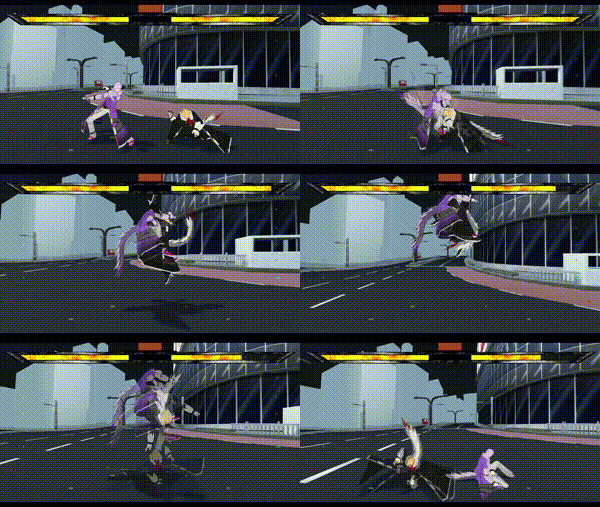
Make attacks faster than some games load! The Castagne Editor is easy to use when starting out, and unlocks incredible speed once you learn it!
Why limit yourself? Castagne’s flexibility allows you to use it for many action genres! Fighter, Platformer, Beat-them-Up? Go ahead! Want to add a dash of fighting to your TRPG? Use Castagne as a module!
Don’t just make a prototype, make a full game! Castagne has Rollback compatibility at a core level, and support for many game modes and quality of life features!
Castagne is Free and Open Source Software (MPL 2.0 Licence), meaning you will never get locked out. Your game will be your own and in your complete control.
Castagne isn’t a regular game engine: it’s a specialization of any engine. Written in Rust, it’s easy to hook it to general purpose engines like Godot and use the best tool for the job!
Castagne welcomes all. Precision design allows ways to edit code graphically, while still saving it in text for VCS. In a team? Easily define interfaces for your designers to adjust attacks. Experts and beginners alike are delighted.
Castagne’s design allows maximum flexibility within some key, tasteful constraints that allow performance and great tools. Make combo unit tests, analyze your data, and make the best game you can.
Hey! Panthavma here, I'm Castagne's author! The Godot 3 version was a long prototype, and I'm finally making the complete vision of Castagne! I want to make something that is still useful in 10 years, and all those previous tests help do that. That's not to say the Godot 3 version is lacking: commercial games have already been released in it, you can try it out!
The Rust version of the engine is still a work in progress, which I'll release in beta when I'm proud of it and I'm confident it can handle current projects. You can follow development here or on any of my channels. Stay tuned!
Follow castagne's development!
Youtube - Mailing List - Forum - Discord - Twitter - Bluesky
2D Fighter / Airdasher
Website - Steam - Bluesky - Twitter - Forum
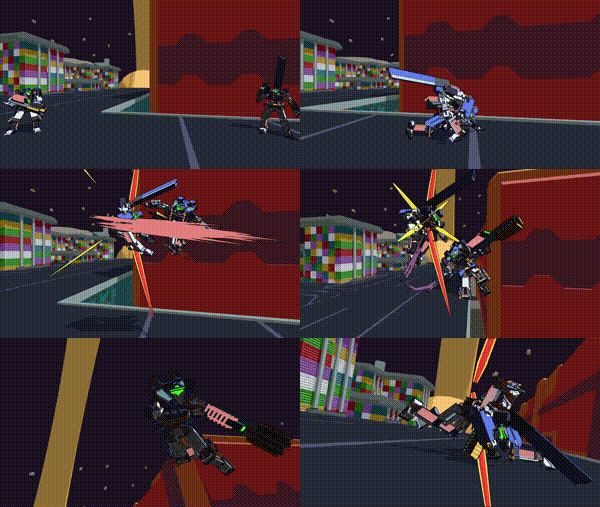
Complex machines fighting at high speed! Tame each mech’s unique weapons using simple inputs and become an ace pilot!
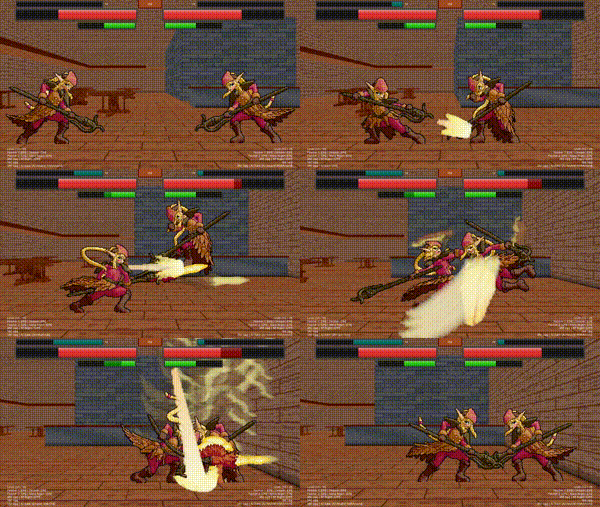
2D Tag Fighter
Magic and technology intertwine in dynamic teamfights! Level up and call upon your allies to decide the fate of the Ashen Island!
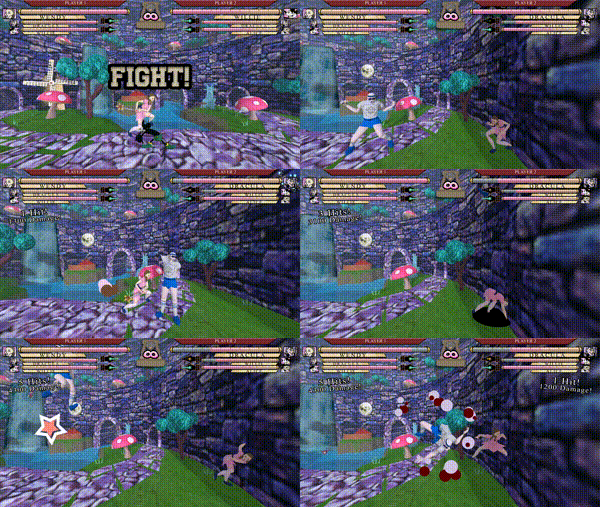
2.5D Tag Fighter / Airdasher
A fast-paced tag fighter with only one attack button! A Fabled curse has swept the world… ordinary teens have begun transforming into characters from their favorite classic stories. Put together explosive team combos at Parable Academy for Fabled Youths!
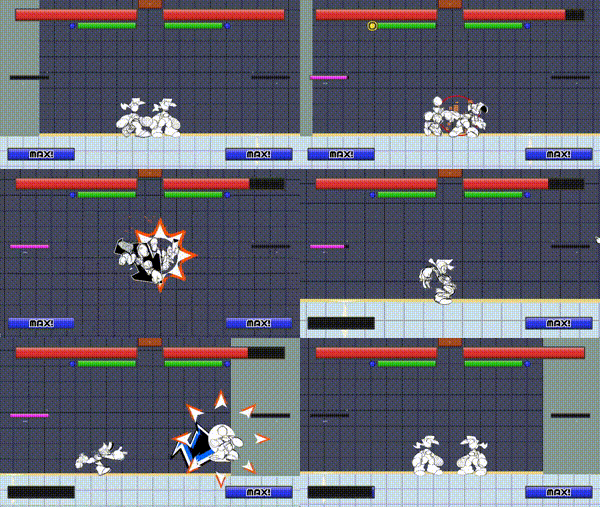
Platform Fighter
A fast-paced, free-flowing platform fighter with a Shibuya Punk and Y2K aesthetic!
Last Godot 3 update time! And because I don’t want to rebuild the old website atm, I’ll just put the various fixes here. Do remember, this is a maintenance update to the old Godot 3 version. And moreover, it’s the last, in theory. The gamejam in april did bring several people together and made all of us do some quick fixes, which are now integrated. I haven’t tested this in depth, just some basic “seems to be in order” checks.
If you did change castagne files during the jam for example, make a backup before updating as it will override the folder. I recommend then merging manually with a tool like meld. You can also do the update from the git repo itself if you have a git tool installed.
If people are adding more fixes, I can integrate them but for me that’s the last I’ll be working on the Godot 3 version, I am more in the process of porting my own projects to the new one. Here’s the list of changes:
CantDash flag.Armor flag which makes blockstun not happen, and calls the OnArmor state instead and raises the ArmorPunish flag on the next frame.NoVFX and NoShake attack flags to remove some of the effects.NoGroundTech attack flag which prevents teching from happening once on the ground.Another estival update! If the text before is dry, it’s because you haven’t interacted enough and I don’t have anything to change.
Bit of a delay with the last one but there’s a good reason: i forgor
Big subject, and one we actually talked a lot about in the previous update on docs! There’s still a lot to say, and this time I’ll focus more on the beginner focused parts and how they are handled.
Castagne is a software meant for experts, but there’s not many of them and you need a path to become efficient in Castagne. As such, the previous definition of beginner was something simpler: someone who doesn’t know Castagne yet, and might be less technical in general. However, in practice, that’s not the correct definition to use, and the people coming into Castagne have been quite varied. Let’s review some assumptions on beginner’s knowledge:
Sidenote, I use “surprisingly” a lot in these because I haven’t been a beginner in gamedev for a long while, and my journey was different enough that I don’t have proper reference points. I learned programming and 3D modeling through basic curiosity and looking online, before I even learned English. When I started gamedev 5 years later, I already had those core skills available so it wasn’t that big of a climb, and soon after I got a short internship at a gamedev studio so I started using Unity back in 2011 or so. I still have that propensity to not be intimidated by walls of knowledge even outside of my field, so my first reaction is not “give up” but “read more”, which definitely puts me outside of most users afaik, which makes it harder to project. Maybe you already guessed who would use Castagne and the level of beginners, but I did not lol
The question then becomes, how far should Castagne go to support beginners? Each one has their own profile, so different aspects are needed, and some decisions can impair the software for other purposes. So let’s put in a guiding vision: Castagne will always prioritize the expert experience and efficiency over the beginner one and prefer teaching and rising the level to limiting or over-simplifying. This doesn’t mean excluding beginners, but there’s a lot of ways you can make something simple by making most choices for the user, or making the day-to-day workflow worse. That’s a pitfall I wanted to avoid in Castagne: Castagne is not training wheels, it aims to be a supremely strong option on the ways it focuses on.
This means that Castagne’s approach is to teach, which takes time and effort both on Castagne’s side and the user’s side. As such, this brings a fundamental limit to Castagne’s user: the user must be willing to learn. If someone just wants to quickly and casually do a fighting game, Castagne is not the software suited for that, and we shouldn’t use resources to get them. The decisions needed to support that user are going to make the software worse for its target users. Another constraint is going to be you need to know how to use a computer. If you can’t open Castagne, you’re going to be immediately lost as soon as the words “import assets” appear on the screen. This already puts some limits, but it still leaves a lot open. Who should Castagne reach out to?
I believe that Castagne should try to reach out of complete beginners, in part because it’s who it’s attracting already, and because it’s good software that is not a trap. This means that people will be able to learn Castagne and be able to keep using it, which will give us better games, and a more skilled community, so that the discussions can also raise in level. With the new vision realizing that people won’t look outside of Castagne, the realistic option is to have this handled in part by Castagne. Not fully of course, Castagne is not the place to learn about blender or sorting algorithms, but it shouldn’t leave beginners high and dry. Having this in-engine will also mold the basic beginner to someone that can already understand more and is more aligned with Castagne’s workflow. So, how can we do this?
I propose looking at it through a framework of three skills: Programming, Art, and Design. Each beginner can either have a basic level in that skill, or not have it, and measures can be taken. That’s on top of well, teaching Castagne, it’s more a sort of soft prerequisites that can be accomodated for, especially in the first tutorials. We’re going to assume that once you’re out of the beginner / advanced beginner stage, you’re able to figure stuff out on your own because you have that anchored basis, and can look up tutorials. They are pretty independant, so while that means there’s 8 beginner profiles, we only need to think about those axises independantly.
Adding some branches to the onboarding tutorial specifically could help direct users, and some categories focused on different lengths and how much they are guiding you through things. This is definitely a part that will need iteration. A risk with that is having so much information that the tutorials themselves become intimidating, but at some point you gotta cut people off: these would not be able to figure out the software without them, and I would much prefer a userbase that is able to find how to do things properly to having the forum be a collection of quick hacks.
Another point to keep in mind in beginners that skip tutorials. Those that skip tutorials are handled by the natural documentation and design of Castagne, as well as the Help Me button if they don’t ignore it. No additional effort is going to be made for them: they want to discover things by themselves, so they will be on their own beyond showing them where the tutorials are on first startup. As mentioned earlier, users that don’t want to spend the effort to learn Castagne are not targetted by the software.
I think that’s a good framework to think about that, and a good general plan. Castagne onboarding, albeit flawed, has managed to bring quite a few users up to speed. It’s part of what allowed Castagne to push beyond its target audience already, so an expansion in that early net should help much more people find their first foothold in the engine. After that, the additional tutorials mentioned in the other updates should help raise the level, now that the initial funnel will properly bring people to the level needed to use it. This will ensure the userbase is more advanced and numerous, which will enable development to go further and better.
Also, I’m planning on using the Castagne characters during tutorials to make them more palatable. I guess this makes it less corpo (which is not a bad thing), but I guess I’m in the zeitgeist of the new generation of open source mascots. Just need to add an anime girl somewhere instead of my puns on francophone BD.
Do you think I missed a part of the beginner experience, or that there is a better way to handle them? Next time, I’m going to speak about communication again, but in the other direction: from users to me!
Wow, another estival update! Still got plenty of those until the end of the month.
Documentation is always a big subject in open-source projects, and according to feedback, Castagne’s docs is one of the best, really complete for a project at this stage, and very lacking and obtuse. What gives?
The reality is that, not everybody needs the same docs, and thus they will have very different experiences of it. People that think Castagne’s doc is great is mostly technical people: Castagne functions are all explained, and most of the internal states in CASP have documentation, meaning you don’t need to experiment to understand Castagne. On the other end, someone not as technical will be lost more easily, as the getting started part of the docs is fairly minimal and split. Furthermore, small syntax drift makes docs not always up to date. Let’s talk about how I intend on taking these challenges!
First off, it’s good to know what kind of docs are present in Castagne and what they are needed for and their specific challenges. It’s a complex environment, so this multimodality reflects that.
Access to the tutorials is currently done either from the website (which easily drifts away) and from the engine (which has a janky interface). Drift from reality is a concern, with in-engine tutorials being the easiest to keep in sync since they can be tested, and video being the hardest as they can’t and remaking them is a chore. Keeping docs up to date is a huge issue in programming and takes a lot of time, so it needs to be properly supported in the dev workflow.
That’s why docs have been a concern of the new version from the start. The best way to have docs up to date, is to make it easy to keep them so. As such, here’s a few of the key ways this happens:
This should already fix a lot of the issues, and allows the standalong pages to focus on parts that don’t move much, such as the language specification or engine loop. But this would only improve the content of the docs, which is just one part. The second part is access, and that is just as important for a good tool. So, here’s the way you can access the docs:
As you can imagine, that’s a huge amount of docs to make, and they won’t come in all at once. There’s also still an issue of what should the docs cover, and while I’ll talk more about this in the beginner estival post, at some point you stop being just technical and start going into the more artistic side. Some people have asked questions such as “how to make a move feel good?” and my answer of “add forward momentum to make it feel more powerful” tends to lead to mashslop games and is thus not universal. This is just one of the issues that can rise from the mission of the official tutorials, along with coverage / speed. That’s why in a second phase, a strong focus is going to be put in community tutorials, where you can interface with those tutorials system easily, and be referenced in various ways by the official software. As such, you can now explain to people how your custom proration algorithm works and why it’s good!
There’s other concerns, such as translation of said docs (can you feel the pain already?), but they are not as critical in this stage of the project. There’s also a bit of question over LLMs, which while I don’t like them or intend to shove them in the software for no reason, are often used by people instead of searching or asking, and their use in programming is more widespread than in art. They’ve already scrapped the Castagne docs and can produce CASP code from the tests I’ve done, and the programmatic interface could help local models be aware of what’s going on and thus reduce slop questions. I’m personally not convinced of their use here since Castagne is quite simple in practice, and I think the tutorial will be enough to put users in conscious control which will work faster, but hey if they are already taking my bandwidth they might as well be useful. I’ll take this time to note that I’m refusing the use of AI to write the docs, even though it’s a common use these days, as I want the docs to be quality and accurate. I’ve also got plans in the further future to make smaller vids myself and dev interviews, a bit outside of the general tutorials to make the results more complete.
Finally, a point I’m not going to expand on this time is the example characters. That’s because there’s a lot to say about them, especially at a beginner level, and how they tie into the engine itself. I think the ideas that were tied to them were good, but the execution could be better, which some of the new systems will definitely help with. An early note I’ll do is that there’s going to be several characters, and that they will be integrated into the tutorials both as characters and as examples.
As you can see, there’s a lot to say on docs, and it’s probably more complex than you’ve expected! And I’ve not even covered everything. In truth, such systems are central to software, and Castagne being complex AND a beginner-magnet, its docs need to grow in a way to support that. What would you make tutorials on? Next time, we’ll talk about beginners.
All Progress Updates - RSS Feed
This list is not exhaustive, and can change often. It represents my global progress with this version, which will release in beta when it’s more complete.
 Castagne Virtual Machine Entity Lifecycle Subentities Inter-Entity Communication Module Interface
 Castagne Config Profiling Framework Memory Stack Rollback
 Instanced Data Castagne Compiler Semantic Representation Robust Compilation Host-Engine Functions Phases and Events Basic Branches State Calls State Calls with Params Advanced Branches Structured Variables EdSpec / Gizmo System Skeleton and MechMod Basic Structure Game Streaming Code Editor Blocks Editor EdSpec / Gizmo Display Castagne Config Tools Framework Tutorial System Docs System Basic Math Vector Math Trigonometry Randomness State Transitions Flags Log / Error Freeze / Halt Phases Targetting Functions Input Layout System Combination Inputs State-Derived Inputs Input Events and Buffer Motion Inputs Input Transition / Flag Fake Press Input from Config Replay Environement Collisions Expanded Env. Colliders Colbox Collision Attack Collision Expanded Attack Colliders 3D Physics Battle Init Data Interface Simple Fighter BID Interface Simple Level BID Interface Simple World BID Interface Rounds and Reset Custom Exit Training Mode (basic) Menus Specification Host Engine Integration Options Menu Input Rebinding Attack Data Storage Attack Param Base Attack Data Optimization Attack Overrides Attack Events Blocking System CASP Hitstun Management Basic Attack MechMods Combo-Awareness MechMods Attack Cancel Rules Fighter Flow MechMods Attack Mechanics MechMods Movement MechMods Combo MechMods Godot Integration Sprite Sytem & Integration Shader Modifications Model Management VFX System Camera System Godot Integration Audio Parameters SFX Definition SFX Parameters Background Music Support Dynamic Audio Support